Paying for annual dues has never been easier. Once your payment is confirmed, you will receive your Official Receipt number within MyIBP, along with an email confirmation.
To pay for your annual dues:
- Sign in to MyIBP.
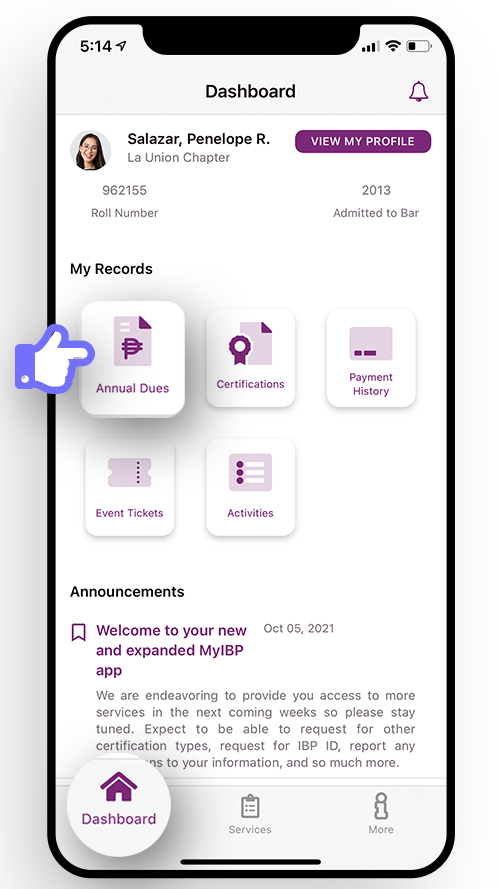
- In your Dashboard, tap Annual Dues.
- Tap Pay Now.
- In the Annual Dues Payable screen, select the CY (Calendar Years) you wish to pay.
- Tap Proceed to Payment.
- Tap Billing Address to update the details.
- Or, you can tap Proceed to Payment.
- You will be redirected to your Order Summary to enter your payment details.
- Make sure you tick the terms and conditions.
- Select your preferred payment option and complete payment.
- And you're done! If payment is confirmed, you'll see the updated record for the CY you paid, including your OR number. You can also see details of your payment transactions from your Dashboard > Payment History.